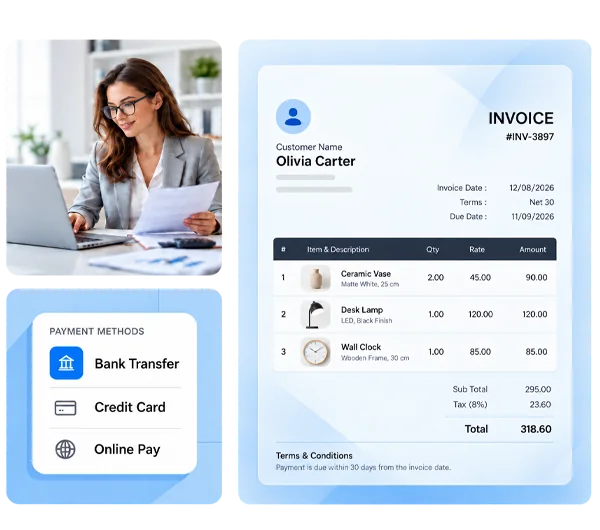
Create professional invoices, keep billing organized, follow payment status, and connect everyday invoicing with your accounting workflow from one Boklink workspace.
Boklink combines the focused workflow of small business invoicing software with the broader context teams expect from accounting and invoicing software.
The basics
Everything You Need to Keep Customer Billing Moving
Build professional customer records in one business invoicing software workflow, from the first line item through due-date and payment-status review.
01
Create Professional Invoices for Every Customer
Create clear, customer-ready invoices with the business details, items, pricing, due dates, notes, and terms needed for everyday billing. Keep customer details, products or services, quantities, invoice dates, and applicable tax information arranged in a consistent document before it goes out.
Invoice Builder
Draft
CustomerAcme Corp
Invoice DateSeptember 18
Due DateOctober 18
Line Items
Qty
Price
Amount
Business service
2
$600
$1,200
Project materials
4
$125
$500
Notes
Thank you for your business.
Subtotal
$1,700
Tax
$136
Total
$1,836
02
Make the Path From Invoice to Payment Easier to Follow
Give customers a clear view of what they owe and keep payment status organized so your team can quickly understand which invoices are paid, outstanding, or overdue. A visible handoff from billing into receivables helps everyone focus on the right next action.
Invoice to Payment
Status path
Invoice
Sent
Payment Pending
Paid
Current invoiceINV-1048
Amount due$4,240
Due dateOctober 18
03
Reduce Repetitive Invoice Entry
Reuse organized item and customer information, structure line items consistently, and review invoice details before sending. A repeatable creation path reduces manual re-entry while keeping pricing, quantities, dates, notes, and terms easy to check.
Invoice Creation Workflow
Review first
Customer
Items
Pricing
Review
Prepared recordCustomer Invoice
Ready to check
Customer details retained
Line items structured
Final review visible
Invoice workflow
Make Repetitive Billing Work Easier to Manage
Standardize your recurring billing cycles. Consolidate payment terms, schedule automated due date reminders, and track receivables across every client from a single unified workspace.
Stay Aware of Outstanding Invoices
Keep due dates and outstanding invoices visible so your team can follow up with customers at the right time. Review the work by customer, due date, amount, and status instead of relying on memory or disconnected lists.
Receivables by Due Date
Aging Dashboard
All outstanding
Due date
Customer
Customer
Invoice
Due Date
Outstanding
Status
Nordic Retail Group
INV-1048
Oct 18
$4,240
Sent
Apex Creative Studio
INV-1044
Oct 02
$1,250
Due Soon
Beacon Logistics Co.
INV-1039
Sep 26
$3,520
Overdue
Total outstanding
$9,010
3 invoices need review
Handle Repeated Billing More Consistently
For businesses with repeat billing needs, structured invoice workflows can help keep recurring customer charges easier to manage. Use a clear schedule view to prepare the next billing cycle while keeping dates, amounts, and review points visible.
Repeat Billing Plan
Active Schedule
Customer
Horizon Cloud Solutions
Draft plan
Frequency
Monthly
1st of each month
Next Billing Date
Nov 01, 2026
Auto-generated draft
Recurring Amount
$1,200.00
Excl. applicable tax
1. Prepare ➔ 2. Review ➔ 3. Finalize
Accounts receivable
Keep Invoicing and Receivables Connected
Follow each customer balance from the invoice record through payment status and reporting. The shared process gives billing and accounting teams one understandable view of what has happened and what still needs attention.
1
Invoice
2
Sent
3
Outstanding
4
Paid
5
Receivables
6
Reporting
Accounts Receivable
September overview
Total outstanding
$26,940
12 open invoices
Due soon
$8,250
Next 14 days
Overdue
$4,770
Needs review
Paid this month
$31,680
Recorded status
Receivables aging
Balance by period
Current
72%
1–30 days
48%
31–60 days
28%
60+ days
16%
Next review
Priority
Sample Supply $3,520
Sample Retail $4,240
Sample Studio $1,860
Review Invoice Details Before They Go Out
Make invoice review part of a clear billing process so important details can be checked before customer invoices are finalized. Keep the draft, review point, final record, and sending step visible without claiming a specific approval-rule engine.
Invoice Review
Draft
Invoice
INV-1051
CustomerSample project client
Total$6,480
Draft
2
Review
3
Finalized
4
Sent
Customer and address
Items and quantities
Pricing and terms
Keep Customer Billing Details Clear
Organize customer, currency, pricing, tax, and payment terms clearly for each invoice based on the information available in your accounting workflow. This keeps important billing context easy to inspect without presenting multi-currency handling as a verified product capability.
Billing Details
Review context
Customer
Sample trading account
Currency
Record as provided
Pricing
Customer agreement
Tax
Applicable billing context
Payment terms
Net 30
Invoice language
Customer-ready copy
Flexible billing
Support Different Customer Billing Situations
Different customers and contracts can call for different billing conversations. Keep each situation legible while treating specialized invoice types as business scenarios until their exact product behavior is verified.
01
Support Stage-based Billing Scenarios
For projects or longer sales cycles, businesses may need to bill customers as work progresses rather than only at the beginning or end of the engagement. A stage view can keep completed work, the current billing point, and the remaining scope understandable.
Stage-based Billing
Scenario
Project
Workspace fit-out
Contract value
$24,000
01PlanningComplete
02DeliveryBilling point
03CompletionRemaining
Current stage reference
$8,160
02
Handle Contract-based Billing Requirements
Some projects require billing terms that hold back part of an amount until agreed conditions are completed. Keep those requirements clear within your billing process so the team can review the billed amount, held amount, and contractual condition together.
For longer-term work, businesses may need to record advance billing requirements before final invoicing. A structured view can document the requested amount, the project context, and the later billing step without implying automatic application or balance tracking.
Advance Billing Requirement
Scenario
Advance requirement$3,000
Recorded need
Project contextService engagement
Linked reference
1Record requirement
2Review billing point
3Prepare final invoice
No automatic application or balance tracking shown.
04
Keep Adjustments Connected to Customer Billing
Keep invoice adjustments and customer billing changes easier to review when an order or charge needs to be corrected. Link the original invoice, the reason for the change, the proposed adjustment, and the resulting balance in one clear review path.
Billing Adjustment Review
Conceptual
Original invoiceINV-1038 · $2,400
Proposed adjustmentReview · −$240
Revised balance$2,160
Reason for review
Customer billing correction
Supporting context is reviewed with the original invoice.
Related features
Connect Invoicing With the Rest of Your Accounting Workflow
Customer billing becomes easier to understand when the source order and the payment record remain close to the invoice.
01
Move From Customer Orders to Billing
Keep the order context visible as customer commitments move into invoice preparation.
Keep item-based customer invoices, order context, due dates, and outstanding balances in one billing view.
Scenario 2
Professional Services Firm
Prepare customer-ready invoices for service work and keep the journey from billing to receivables visible.
Scenario 3
Small Trading Company
Organize everyday invoices, pricing details, status, and customer balances without scattered spreadsheets.
Scenario 4
Project-based Business
Frame milestone, advance, and contract billing needs as a clear process the team can review together.
Request a demo
See How a Clearer Billing Workflow Could Fit Your Business
Share the part of invoicing or accounting you want to improve. This form documents the requested conversation but is not connected to a submission service yet.